Subscribe to our blog!

Enter your email address:

Delivered by FeedBurner

Technology problems solved...

Computer virus: "...very quick response to my call regarding a virus on my computer... professional and very knowledgable... we will be recommending TheONbutton to my friends." Lynn, Hillsborough NC

Apple Mac computer training: "Neil's prompt service and vast knowledge of computers has been a godsend. At this point I can't imagine life without him!" Margaret, Chapel Hill NC

Computer issue troubleshooting: "Excellent response to issues dealing with the home computer. All problems were solved and his explanations were easily understood." Jane, Durham NC

Laptop memory upgrade: "Punctual and very effective service! Highly recommend." Mike, Chapel Hill, NC

Computer performance tune-up: "I had the good fortune of finding TheONbutton. Neil was prompt, friendly, knowledgeable, fast, efficient, and affordable. I give him my highest recommendation!" Sean, Durham NC

Read more reviews of TheONbutton...

Our Facebook & Twitter pages
More testimonials

Wireless Internet connection problem: "Neil got our wireless router and modem going again that Time Warner and TP Link help desks had struggled with. We will definitely use the TheONbutton again should problems arise." Jeff, Durham NC

Computer virus: "...very quick response to my call regarding a virus on my computer...professional and very knowledgable...we will be recommending TheONbutton to my friends." Lynn, Hillsborough NC

Read more reviews of TheONbutton...

What's Going ON?

We love tech and here's where you find out just how much! Our blog covers tips, tech, gadgets and other computer service related stuff in Durham and beyond! Let us know what you think by sending us a comment, we love reading them and we promise to do our best to respond!

Sunday
Jan222012

4 ways to improve your website's Search Engine Optimization, or SEO

There are multiple components that go into creating a website that will rank well in search results on Google, Bing and Yahoo. This is known as Search Engine Optimization, or SEO.

1. Website domain name is important for SEO

The domain name of a website (example: www.durhamcomputerservices.com) helps search engines to categorize a website and contributes to a site's 'search ranking'. Google refers to this a 'PageRank' So, if you want to increase the likelihood that your site will appear higher in results when someone searches for your name, choose a meaningful domain name to help the search engines. If you want them to find you by your profession for example, include the profession in the domain name. If popular names are taken then look for similar variations or other extensions such as .net or .biz.

2. Website content is more important than platform

There are many platforms available for building a website quickly, such as Squarespace, Virb and Wordpress. One particular platform is not necessarily better for SEO than another. For SEO purposes, the content on the website is more important than the platform used to build the site. Google, Bing, Yahoo and other search engines look for keywords in the content of a website to identify the type of information that the site is offering. Try to use keywords that accurately describe your content, regardless of whether it is a business or a personal website. Be sensible about your use of keywords so that the site remains easy to read by people visiting your site. Overuse of the same keywords repeatedly will probably result in a website that is difficult to enjoy reading, and search engines might demote a site that is too saturated with keywords.

3. Links, multimedia and up-to-date content

Search engines prioritize websites that include links going out to, and coming in from, other websites. So if you are able to link your site to your company's Facebook page, your LinkedIn profile and other sites, this will help your site's ranking. Consider professional association websites also. If a high quality website links to your site then that is more valuable than an incoming link form a lower quality site. Relevant photos and videos also help, as do blog entries on the site if they are relevant to the main content on the website. Additionally, regular blog entries help the search engines to notice that your site has up to date information, which is an important criteria in search ranking.

4. Leverage social media - Facebook, LinkedIn and others

Beyond the content on the website itself, using social media platforms such as Facebook and LinkedIn are great ways to reach people, increase your SEO through linking and drive additional traffic to your website. Create a Facebook business page focused solely on the company, and use it to keep people up to date with company news and general topics of interest in your field. Provide inks to your website's blog posts and other content from the Facebook or LinkedIn pages, which helps with your search engine optimization. This is a great way to reach people who might not go directly to your website regularly.  

It takes time for a website to rank highly on search engines (months as opposed to days), but using these techniques as a starting point will help to get results! Let me know about your experiences!

Neil Berman, Helper-in-Chief, TheONbutton

Sunday
Jan082012

Remote Help IT support from TheONbutton

What is Remote Help?

You might be far away, or spend too much time being IT support for family members, or maybe you live around Durham, Chapel Hill or Raleigh and just don't want to get out of your pyjamas. But you need IT support. We can now connect to your computer remotely to support you wherever you are. Regular clients can even opt to have support work done when they're away from their computer. It's the ultimate in convenience and minimizes downtime.

How does Remote Help work?

We use state of the art remote connectivity software called Citrix GoToManage from industry leader Citrix, which is safe, secure and takes just moments to set up. You have the option to stay on the phone with us during the remote support session and watch what we're doing, or go and enjoy some free time instead.

What can I use Remote Help for?

Remote Help is available for Mac and PC owners and is perfect for training, troubleshooting, software installations & upgrades, computer performance tune-ups, iPhone & iPad software updates, you name it! Use Remote Help for a lesson at work on Microsoft Excel, or to get yourself set up on Facebook and LinkedIn, or to learn how to use your Mac if you just switched from a PC.

So take this opportunity to get more out of your computer, reclaim your free time and do more of what you want to do. Remote Help from TheONbutton is just a phone call away!

Neil Berman, Helper-in-Chief, TheONbutton

Friday
Dec302011

Top 10 computer, phone and technology questions

TheONbutton is all about sharing knowledge, so I wanted to share answers to 10 popular computer, phone and technology questions that people often ask me. I hope this is useful educational information and please feel free to pass this on to friends who may also find it useful!

1. Help! I forgot my Mac's password and there's no way to reset it! How do I install new software without it?

If you forget the password for your Mac don't worry, it can be reset but the process is not immediately obvious. When the original installation disc that came with your Mac is inserted, the password reset option can be accessed via the Utilities menu on the installation disc. Even if you don't have the installation disc a new Administrator account can be created. Did you know that the MacBook Air is now the best selling Mac computer in Apple's range?

2. I bought my laptop a year ago and now the battery only lasts half as long as it should. Why has this happened? 

Leaving your laptop plugged in constantly with the battery inserted will reduce the lifespan of the battery. Allow the battery to completely drain at least every two weeks and either remove the battery or the power cable when the battery is fully charged. Did you know that some higher end laptops have a feature that cuts out charging to the battery when it is fully charged? 

3. How do I reorganize the apps on the home screen of my phone?

iPhones, Android phones, iPads and iPod touches have a similar process for reorganizing apps on their home screen. Press and hold the icon of the app you want to move until it pops out, then drag it to the new location. On Android phones, let go of the icon and it will fix into place. On the iPhone, iPad and iPod touch, press the home button to fix the icon in its new location. Did you know that you can organize apps into folders on the iPhone, iPad and iPod touch by dragging one app on top of another?

4. My wireless Internet doesn't cover all of my home, can I buy an extender?

Buying a modern long range wireless Internet router for $50-100 is typically more cost effective than buying an extender to increase the range of an old one. Range extenders can be unreliable and they will be restricted to the maximum data speed of you older-technology router. A quality modern router should be able to provide wireless Internet coverage throughout a regular sized home including its garden. Did you know that the slowe, shorter range wireless technology can be identified on the retail box by the tech codename 802.11g and the faster, longer range one is called 802.11n?

5. My web browser sometimes stops and I see a message saying that 'Flash' has stopped working, why is this?

Flash is an Internet add-on that enables some multimedia content like videos and advertisements on websites. It sometimes makes websites run slowly and can occasionally causes computers to crash. Most Internet browsers allow users to turn Flash off and this can save a lot of battery consumption. I tend to turn Flash off unless I'm using a website that won't work without it, such as Hulu. The good news is that many websites are being updated so that they don't need to use Flash. The iPad and iPhone don't use Flash at all and new versions of Flash are no longer being developed for Android phones or tablets either. Did you know that you can watch YouTube using HTML5 instead of Flash?

6. I want to try Internet TV, but there are so many Internet TV boxes. Which one should I get?

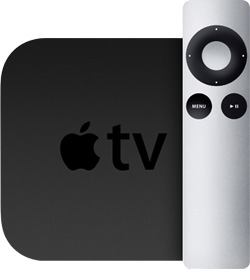
There is a wide range nowadays because Internet TV has become so popular. The Apple TV is a great choice for households that have lots of Apple equipment because the media sharing and remote control capabilities tie in elegantly with the iPad, iPhone and iPod touch. Non-Apple households might prefer a Roku XS or Xbox 360 for Internet TV viewing, which sacrifice the Apple media sharing capabilities but add more viewing options like Hulu Plus. Did you know that over 30% of peak time US Internet traffic is from households watching Netflix! 

7. I'm buying someone a games console for a gift, which ones are the most popular?

The Xbox 360 is currently the best selling living room games console. Apple's iPod touch is the most popular handheld gaming console, even though it has a wide range of other capabilities. Did you know the largest demographic for gaming is the 25-34 age group?

8. I want to get my email on the go but I don't want an expensive smartphone data plan, what options do I have?

Smartphones are now as affordable as old style phones. Virgin Mobile has a combined voice, text and data plan starting at $35 per month so there's no need to hang on to that old phone any longer! T-Mobile has also launched no-contract smartphone plans for around $60 per month including voice, text and data service. Did you know that Virgin Mobile and Boost Mobile are both part of Sprint?

9. My GMail sometimes doesn't sync to my iPhone properly, what am I doing wrong?

If you want your GMail to integrate into your other email boxes and synchronize calendars reliably on your iPhone, try setting it up as an Exchange account. That configuration synchronizes more reliably than using the GMail account setup process, and it integrates your email into your other accounts unlike the GMail app from the App Store. Did you know that Hotmail is a more widely used email service than GMail by a significant margin?

10. Is it OK to do online banking using a coffee shop's wireless Internet connection?

I never recommend performing sensitive online transactions using public unsecured networks like those in most coffee shops. Other users on the same network might be able to intercept your data traffic and someone sitting nearby may be able to view sensitive information on your screen. Did you know that there is a popular Firefox plug-in called Firesheep that allows its user to take over someone else's unencrypted website log-in credentials on a public network? Be careful out there!

Happy New Year! 

Neil Berman, Helper-in-Chief, TheONbutton

Sunday
Dec252011

Didn't get the gift you wanted? Treat yourself to one of these fab five!

Fear not, here are some ways to bless yourself with exactly what you need! You've been an angel about giving this Holiday Season, so let's make sure you're also giving to yourself...

1. Bless Your Dreams: Jawbone UP

There's nothing worse that being woken by an unfeeling alarm clock just as you're landing the winning Superbowl touchdown. Jawbone thinks it's solved this problem with its revolutionary UP wristband that monitors your sleep patterns and wakes you during your lighter sleep moments. UP will also help you to monitor other aspects of your lifestyle to inspire you to be healthier, and isn't that one of our annual New Year's resolutions? $99 from Jawbone.

2. Bless Your Ears: Yamaha Stereo/Surround Receiver

Even amateur audiophiles will probably be delighted by the audio quality of the affordably priced Yamaha RX-V371 receiver. This box of tricks can act as a superb stereo or surround sound receiver, with 4 HDMI inputs to accommodate your Blu-ray player, games console or Apple TV and plenty of power for average size living rooms. I installed some of these during 2011 and they're solid performers. $229.99 from BestBuy.

3. Bless Your Memory: ZTE Warp Smartphone

Remembering those appointments and road directions is too hard these days. The ZTE Warp is a great value Android smartphone which easily connects to Google Calendar and has free turn-by-turn GPS navigation, so you can leave the map book at home. Best of all its unlimited voice, text and data plan on Boost Mobile only costs $55 a month and can reduce to just $40 after 18 months. $199.99 from Boost Mobile.

4. Bless Your Fingers: Apple iPad 2 (16GB WiFi)

Ditch the mouse and give your fingers a workout! Most folks will get by just fine with the entry level iPad 2. It works anywhere that has wireless Internet, so when you're away from home you can use it at many coffee shops and hotels while traveling. The iPad is still the #1 tablet on the market, and its apps range from HD movie production to kids education. New York Times subscribers might find that the iPad replaces their Sunday paper. $499 from Apple.

5. Bless Your Partner: TomTom VIA 1505TM

Travel without arguments with this 5" GPS that offers free map and traffic updates for the life of the unit. The VIA 1505TM has a vastly improved screen compared to previous TomToms and the traffic service will route around snarl-ups to get you to your destination as quickly as possible. Best of all you will be able to enjoy car conversations that omit the customary navigation arguments. $115.99 (at time of writing) from Amazon.

Monday
Dec192011

Don't leave loved ones at the mercy of the instruction manual this Holiday season!

Buying and receiving gifts is wonderful, but struggling with the resulting manuals, wires and settings is not! For some people this can take hours, days or never happen at all for busy people!

We can take care of that unpleasant task for you or a loved one and we love doing it so you will always get our greatest care and attention! This makes a great gift for someone or for yourself. Best of all we're available throughout the Holiday season, so here are some stress-relieving services:

iPhone, iPad, Kindle Fire and smartphone set up and coaching

  1. Unpacking the device, setting it up and connecting it to your home Internet. Configuring it to send and receive email.
  2. Coaching on how to use email, Internet services and how to download and use apps.
  3. Coaching on taking photos, movies, listening to music and any other questions you may have.

Apple Mac and Windows PC computers

  1. Unpacking the computer, setting it up and getting it connected to your home Internet.
  2. Downloading the latest Mac or Windows updates and registering the computer so it is ready to use.
  3. Installing essential software like anti-virus and Flash so you can browse the Internet safely. Setting up Skype and Netflix.

Games consoles (Xbox, Playstation, Wii or handheld system)

  1. Unpacking and connecting the game system to your TV, home theater system and home Internet
  2. Downloading the latest software from the Internet so the console is ready to use
  3. Setting up Netflix and the necessary online gaming services like Xbox Live for online play

Call Neil at TheONbutton on 919-695-3899 for pricing and availability!